
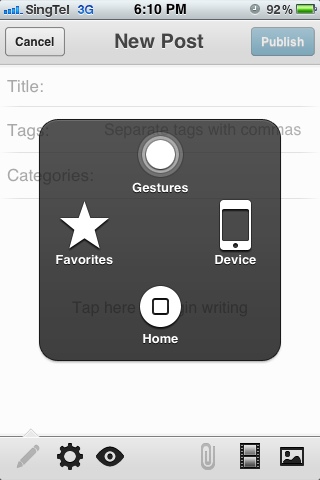
On-Screen Home Button On iPhone
To have an on-screen home button simply activate AssistiveTouch from Settings-General-Accessibility.
AssistiveTouch also includes the following functions:
- Device – Rotate Screen, Lock Screen, Volume Up, Volume Down, Shake and Unmute.
- Favorites
- Gestures
editor's pick
latest video
 For Lighthouse Baptist Church
Created by: Paula Aduna
news via inbox
Nulla turp dis cursus. Integer liberos euismod pretium faucibua
you might also like
http://www.google.com/finance/converter
select currency
http://www.google.com/finance/converter?&from=SGD&to=USD
http://www.google.com/finance/converter
select currency
http://www.google.com/finance/converter?&from=SGD&to=USD
http://www.google.com/finance/converter
select currency
http://www.google.com/finance/converter?&from=SGD&to=USD
