
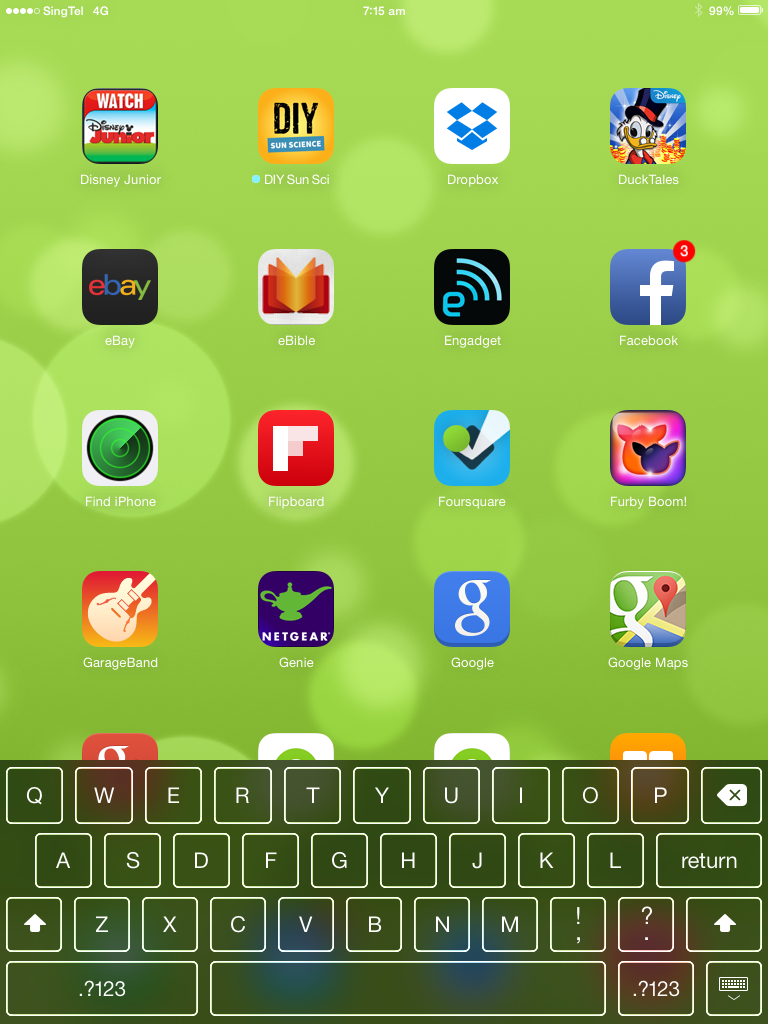
How to Fix iPhone/iPad That Cannot Remove On-Screen Keyboard
This is an error that might be caused by the recent iOS 7 update where your on-screen keyboard is displayed always.

[postad]
Solution:
All you need to do is restart your device by pressing and holding the power button. Once it’s switched off, press the power button again to turn on.

editor's pick
latest video
 For Lighthouse Baptist Church
Created by: Paula Aduna
news via inbox
Nulla turp dis cursus. Integer liberos euismod pretium faucibua
you might also like
http://www.google.com/finance/converter
select currency
http://www.google.com/finance/converter?&from=SGD&to=USD
http://www.google.com/finance/converter
select currency
http://www.google.com/finance/converter?&from=SGD&to=USD
http://www.google.com/finance/converter
select currency
http://www.google.com/finance/converter?&from=SGD&to=USD
