
How to Activate Emoticon on Your iPad / iPhone
Bring colour into your regular messages by using emoticons.

Steps on How to Activate Emoticon on Your iPad/iPhone:
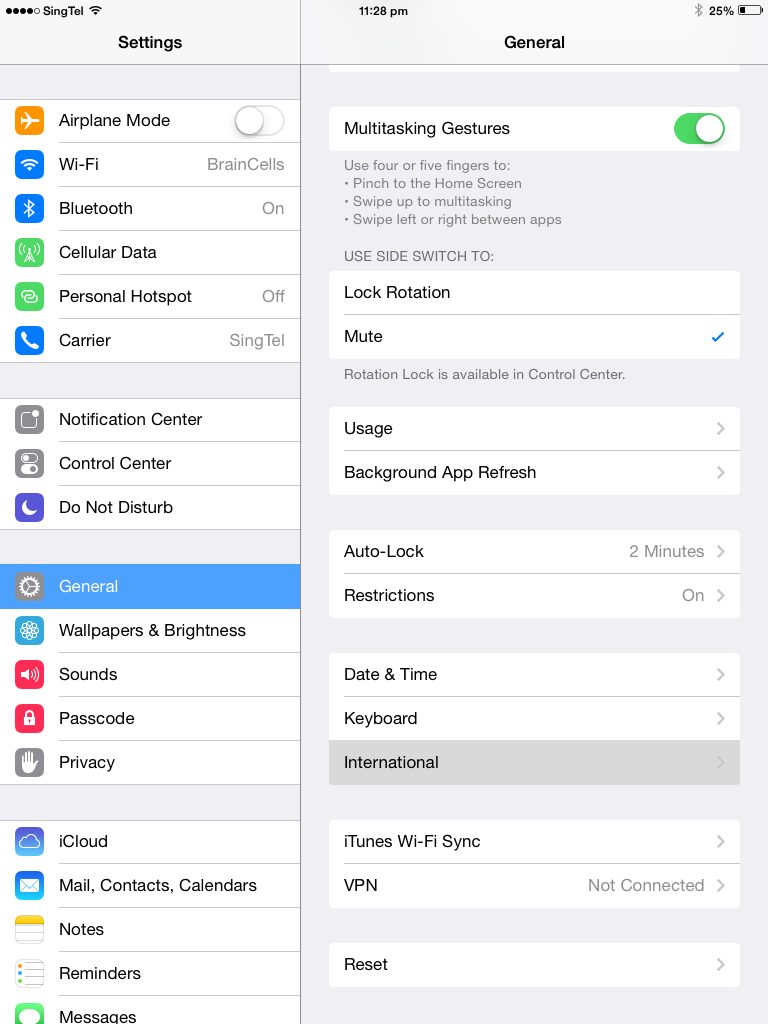
1. Go to Settings, then select General option.
[postad]
2. Under General options select International then Keyboards. 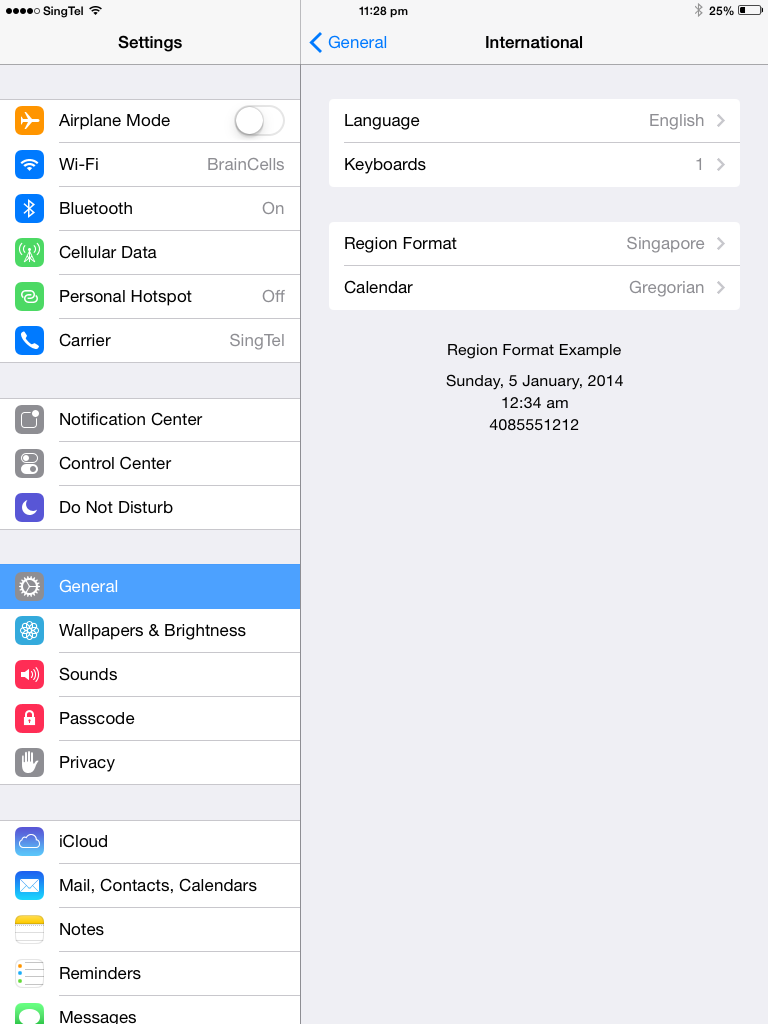
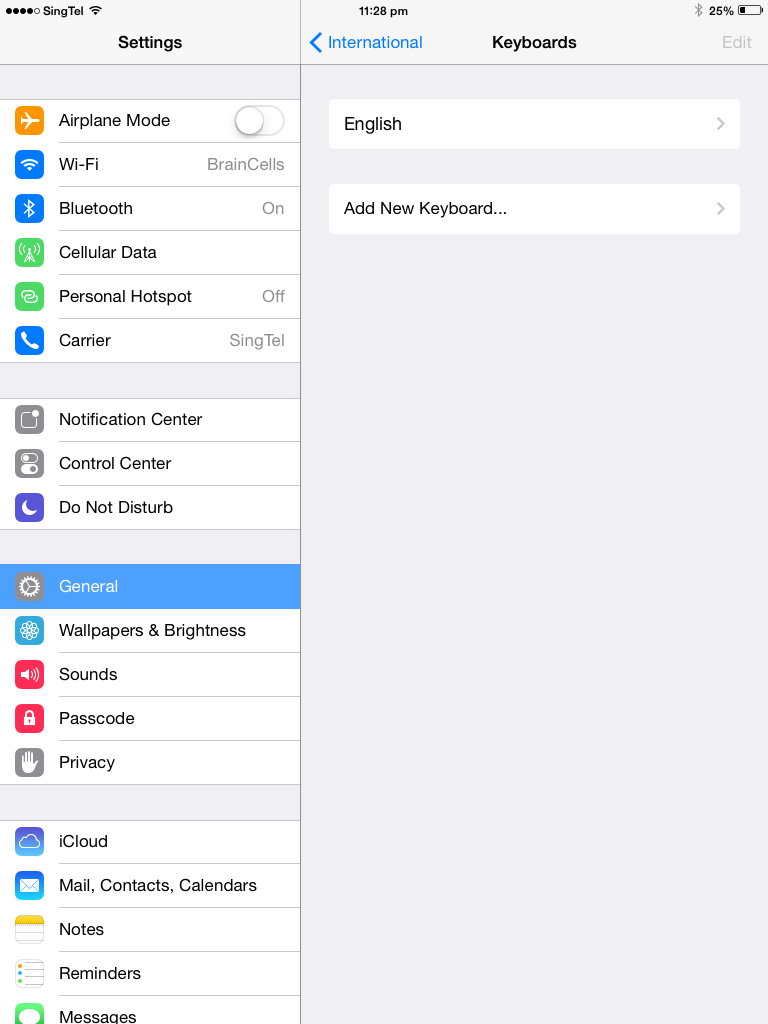
3. On Keyboard options select Add New Keyboard.
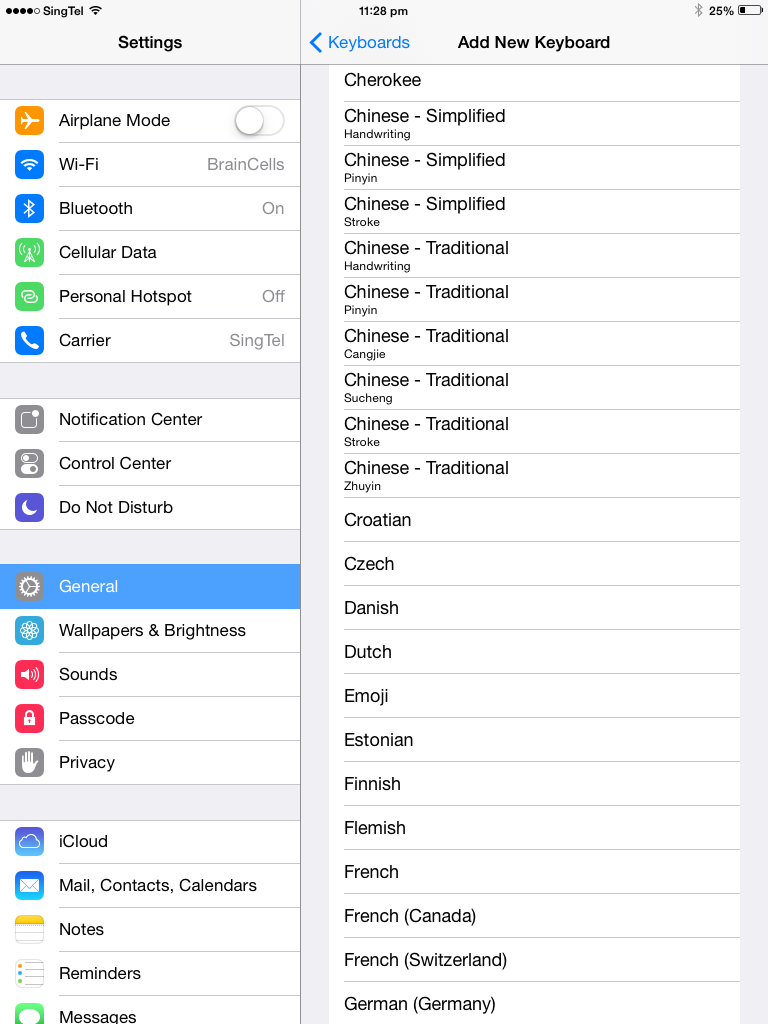
4. On the list of keyboards available, select Emoji.
5. To use Emoticons when messaging, Select the Globe icon on your keyboard.
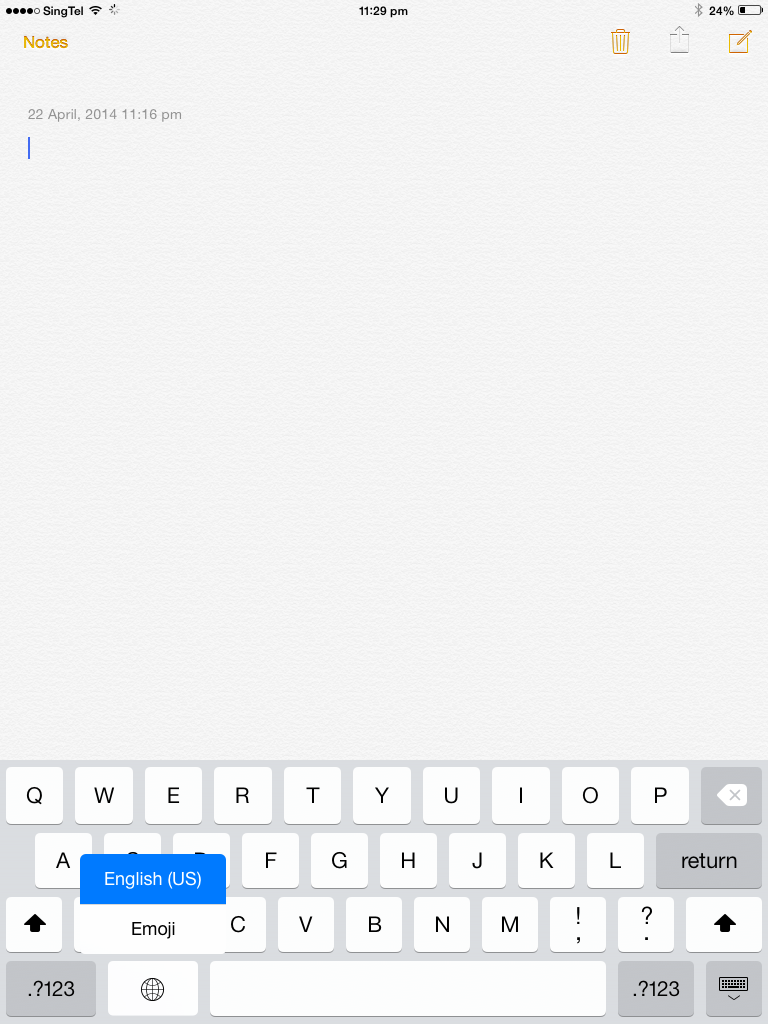
To watch video instructions, Please watch video below: [youtube http://youtu.be/pfyEuvOY_4I]
editor's pick
latest video
 For Lighthouse Baptist Church
news via inbox
Nulla turp dis cursus. Integer liberos euismod pretium faucibua
you might also like
http://www.google.com/finance/converter
select currency
http://www.google.com/finance/converter?&from=SGD&to=USD
http://www.google.com/finance/converter
select currency
http://www.google.com/finance/converter?&from=SGD&to=USD
http://www.google.com/finance/converter
select currency
http://www.google.com/finance/converter?&from=SGD&to=USD
