
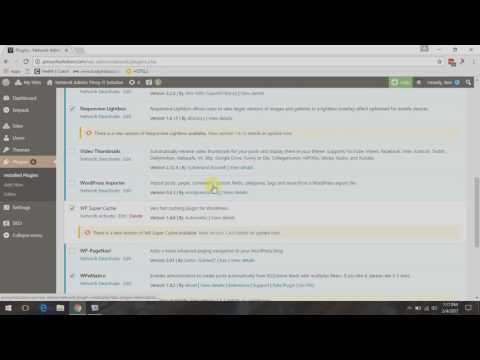
Quick Fix: WordPress Multi Site Cannot Update Plugins
Having error on updating your WordPress Plugins? Does this error appear when you update? “Are you sure you want to do this? Please try again.”
We have a a work around for this problem.
How to update Plugins on a WordPress Multisite:
Step 1: Login to your wordpress admin account.
Step 2: On the top menu of your WordPress site Click on My Sites, then mouse over to Network Admin, then click on Plugins.
Step 3: Tick the top most check box to select all plugins or select which ever you need to update.
Step 4: Change Bulk Actions to Update on the drop down selection.
Step 5: Click Apply button.
I created this video with the YouTube Video Editor (http://www.youtube.com/editor)
editor's pick
latest video
 For Lighthouse Baptist Church
news via inbox
Nulla turp dis cursus. Integer liberos euismod pretium faucibua
you might also like
http://www.google.com/finance/converter
select currency
http://www.google.com/finance/converter?&from=SGD&to=USD
http://www.google.com/finance/converter
select currency
http://www.google.com/finance/converter?&from=SGD&to=USD
http://www.google.com/finance/converter
select currency
http://www.google.com/finance/converter?&from=SGD&to=USD
