

How to retrieve saved password from Firefox Browser on your MAC OS X
Easily retrieved saved password on your Firefox Browser by following these steps:
Step 1: Press menu on the top right corner of your Firefox Browser
[postad]
Step 2: Select Preferences from menu.
Step 3: Select Security Tab from Preferences
Step 4: Click on Saved Passwords located at the bottom right of your security tab.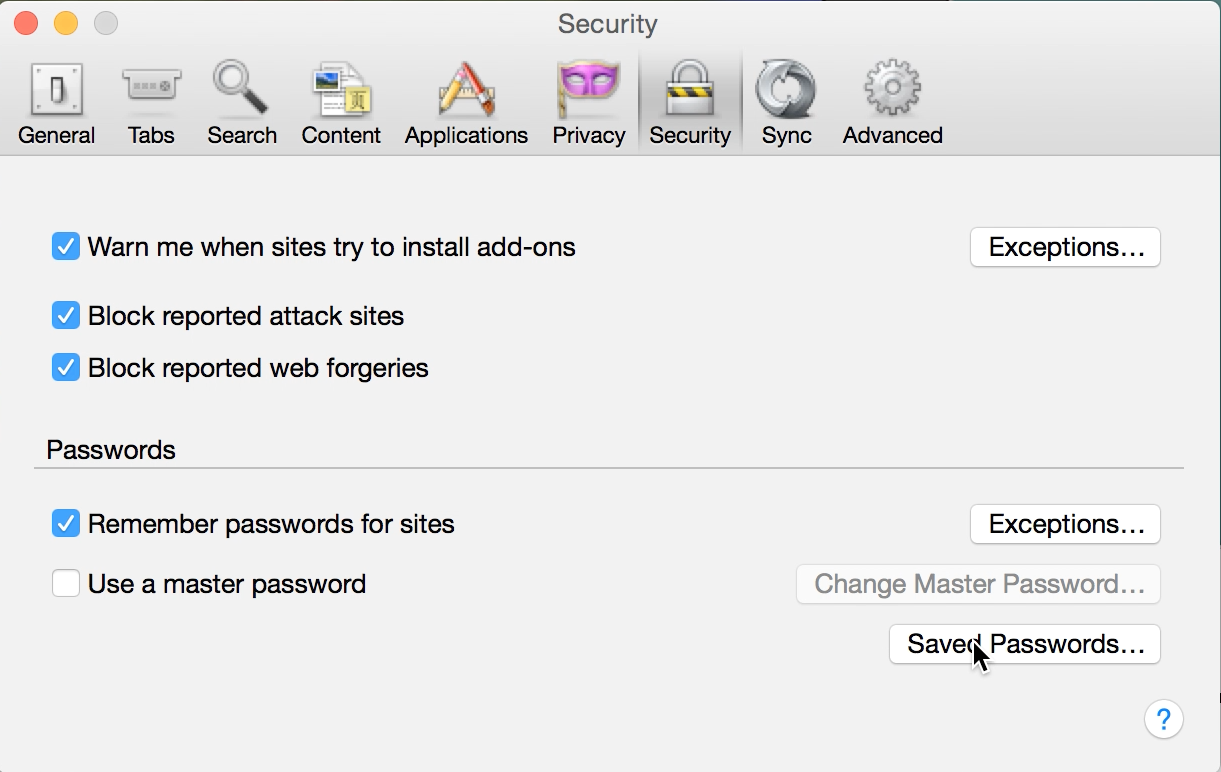
Step 5: Select your the password you wanted to retrieve from the saved passwords list. 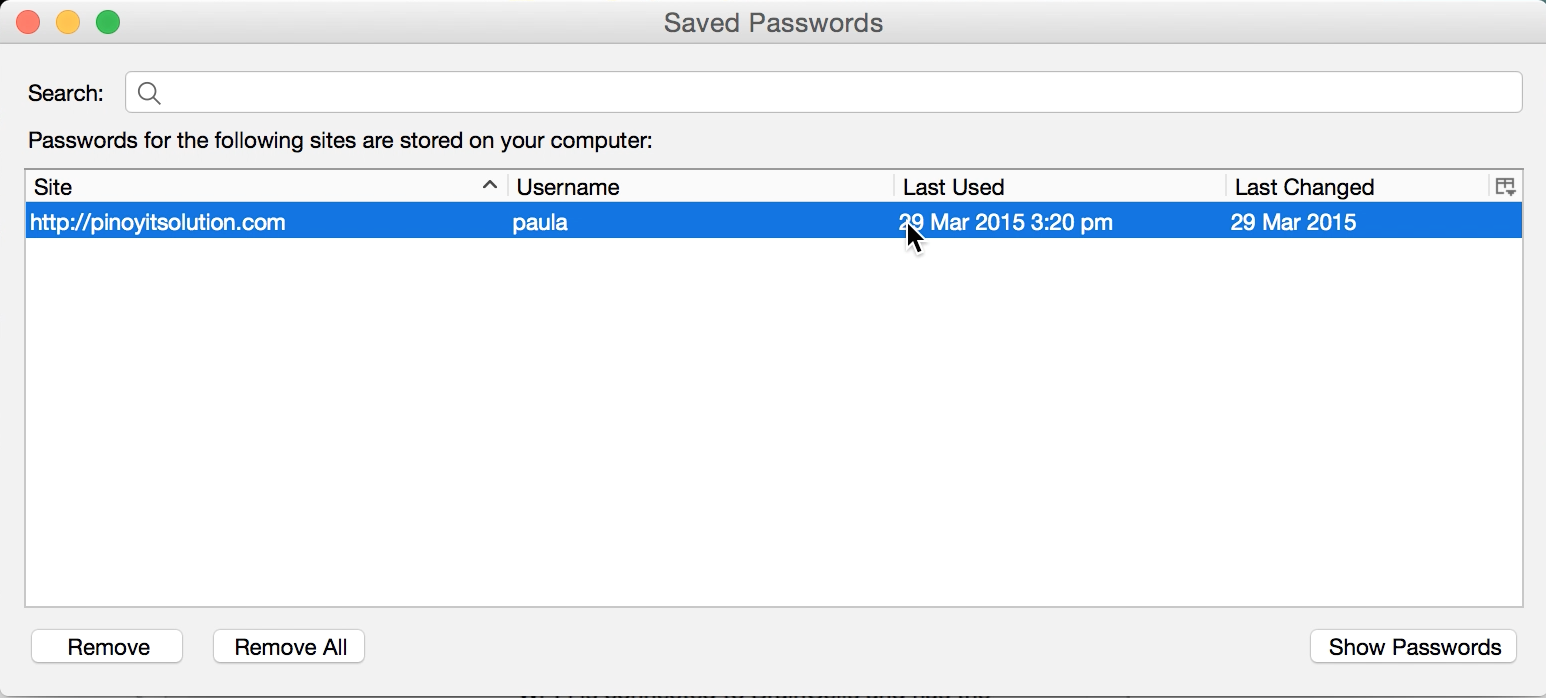
Step 6: Click Show Password button below the page.
Step 7: Select Yes from the dialog box when ask for confirmation.
Step 8: Viola! your saved password has been retrieved. Enjoy!
Watch this Tutorial on Youtube:
[youtube https://youtu.be/liorNtCpX0g]editor's pick
latest video
 For Lighthouse Baptist Church
news via inbox
Nulla turp dis cursus. Integer liberos euismod pretium faucibua
you might also like
http://www.google.com/finance/converter
select currency
http://www.google.com/finance/converter?&from=SGD&to=USD
http://www.google.com/finance/converter
select currency
http://www.google.com/finance/converter?&from=SGD&to=USD
http://www.google.com/finance/converter
select currency
http://www.google.com/finance/converter?&from=SGD&to=USD
