

How to retrieve saved password from Chrome Browser on your MAC OS X
Easily retrieved saved password on your Chrome Browser by following these steps:
Step 1: Press menu on the top right corner of your Chrome browser.

[postad]
Step 2: Select Settings.
Step 3: Search for password on your settings page.
Step 4: At the bottom of the result page click on manage password.
Step 5: On your saved password list, select the password your want to retrieve, and press show password on the password textbox.
Step 6: Enter Administrator Username and password of your MAC OS X.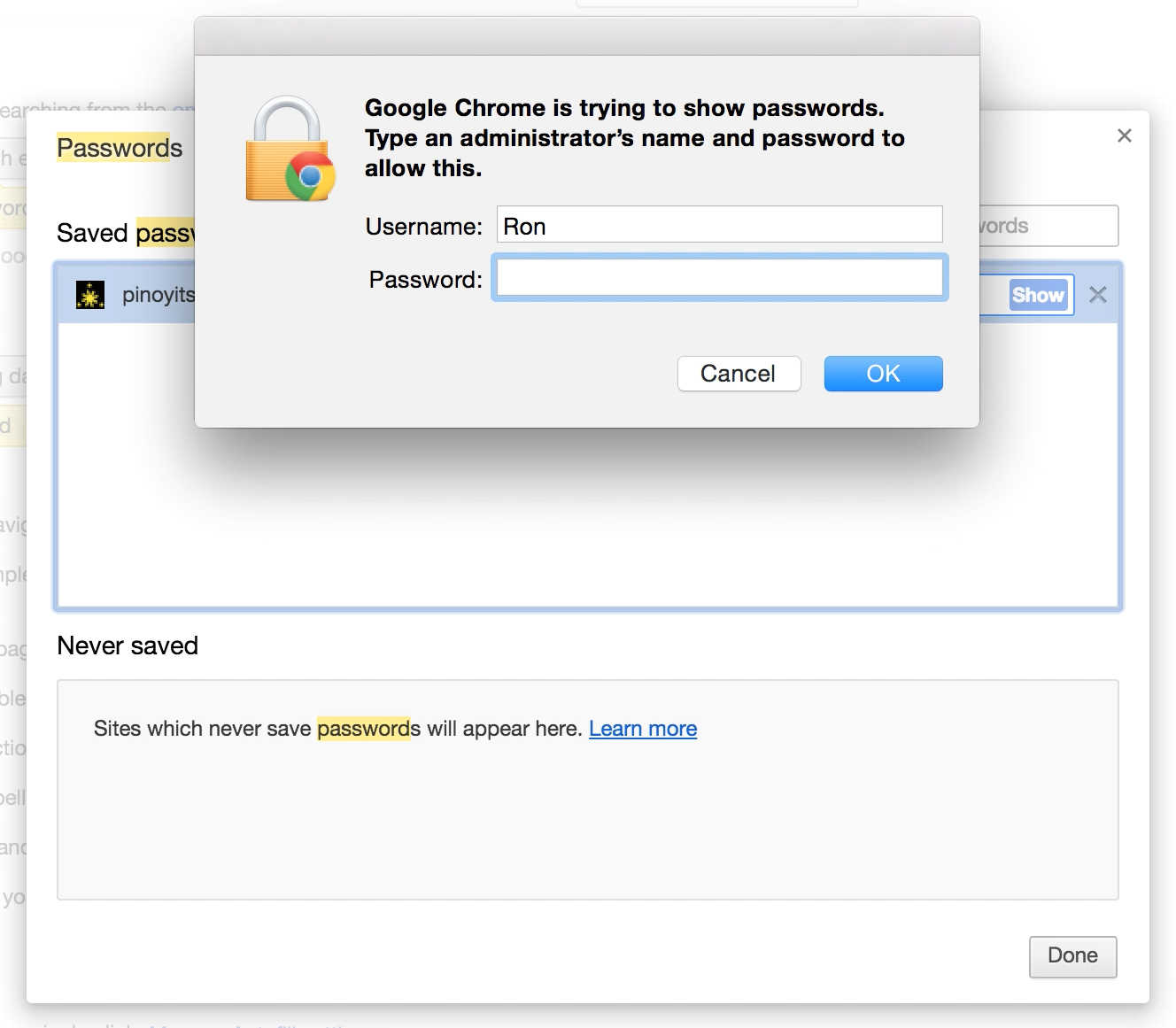
Step 7: Your password has been retrieved. Enjoy!
Video Tutorial
editor's pick
latest video
 For Lighthouse Baptist Church
news via inbox
Nulla turp dis cursus. Integer liberos euismod pretium faucibua
you might also like
http://www.google.com/finance/converter
select currency
http://www.google.com/finance/converter?&from=SGD&to=USD
http://www.google.com/finance/converter
select currency
http://www.google.com/finance/converter?&from=SGD&to=USD
http://www.google.com/finance/converter
select currency
http://www.google.com/finance/converter?&from=SGD&to=USD
