

Redirect http to https
Steps on how to redirect your website from http (unsecured site) to https (secured site):
- Login website’s Cpanel.
- Open your File Manager.
3. Go to your root folder (public_html folder).
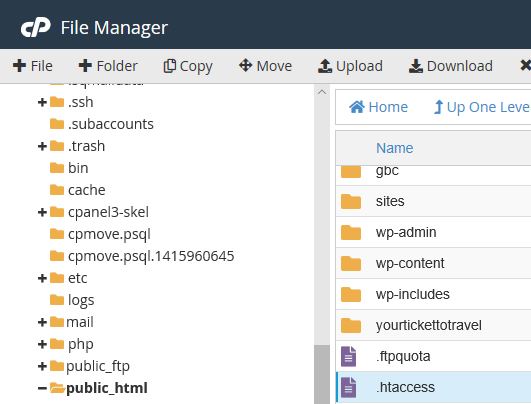
4. Create or edit .htaccess file.
5. Add the following code below to your .htaccess file then save.

RewriteEngine On
RewriteCond %{HTTPS} !=on
RewriteRule ^(.*) https://%{SERVER_NAME}/$1 [R,L]
editor's pick
latest video
 For Lighthouse Baptist Church
Created by: Paula Aduna
news via inbox
Nulla turp dis cursus. Integer liberos euismod pretium faucibua
you might also like
http://www.google.com/finance/converter
select currency
http://www.google.com/finance/converter?&from=SGD&to=USD
http://www.google.com/finance/converter
select currency
http://www.google.com/finance/converter?&from=SGD&to=USD
http://www.google.com/finance/converter
select currency
http://www.google.com/finance/converter?&from=SGD&to=USD
